Somewhere between the third spreadsheet and the second branch, every growing business owner hears the word: "You people need an ERP." It's usually said by an accountant, a consultant, or that friend who works at a big company — and it usually lands with a thud, because ERP sounds like something that costs a fortune, takes a year to install, and requires an IT department you don't have.
Here's the useful truth: the idea behind ERP is simple, genuinely valuable, and more relevant to a 12-person trading company than most owners realize. The traditional implementation of that idea — the year-long, consultant-heavy version — is what deserves the scary reputation. This guide separates the two: what an ERP actually is in plain language, how it differs from the software you may already use, the honest signs your business does (and doesn't) need one, and what the SME-sized version of ERP for small business looks like today.
What Does ERP Mean, In Plain Language?
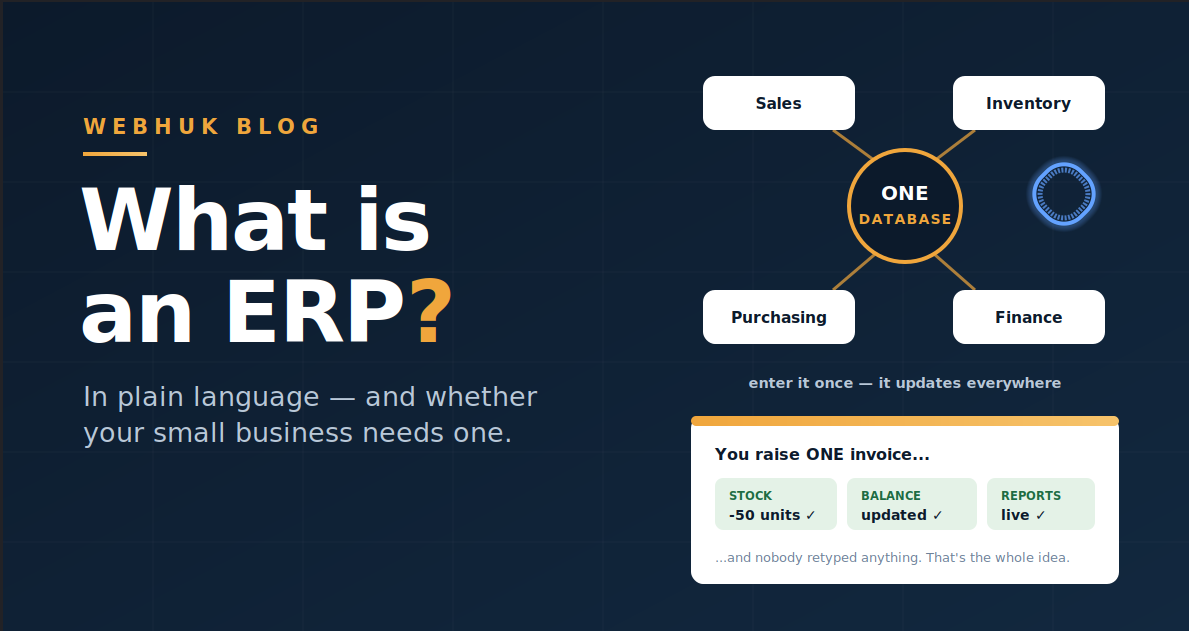
ERP stands for Enterprise Resource Planning — software that runs a business's core operations in one connected system, sharing one set of data. Sales, inventory, purchasing, invoicing, and accounting all work from the same records, so when one thing happens (a sale), everything it affects (stock, customer balance, revenue) updates together, automatically.
Strip away the jargon and an ERP is a promise: enter information once, and every part of the business that needs it has it. The invoice you raise is the stock deduction is the customer's new balance is the sales figure in your report. No retyping, no reconciling, no "which file is correct?"
The name is historical baggage — "Enterprise" because big manufacturers invented the category decades ago. The concept itself has no minimum company size.
What an ERP Actually Does
Think of it as modules around one shared database:
- Sales: enquiries, quotations, orders, invoices — the enquiry-to-invoice workflow as one thread
- Inventory: what stock you hold, where it sits (including stock across branches), what it truly cost
- Purchasing: supplier orders, purchase invoices, goods received
- Finance: payments in and out, customer and supplier balances, accounts, multi-currency where you trade across borders
- People & structure: users, roles, and who's allowed to see and do what
The modules matter less than the connections between them. A stack of five separate apps can cover the same functions — what makes it an ERP is that a sale in one module moves the stock, the balance, and the numbers in all the others, without a human bridging the gap.
ERP vs Accounting Software vs CRM
Three categories get confused constantly:
| Accounting software | CRM | ERP | |
|---|---|---|---|
| Core question it answers | "What are my numbers?" | "Who are my customers and deals?" | "What is happening in my whole operation?" |
| Records money | Yes — its specialty | Rarely | Yes |
| Tracks stock & purchasing | Limited or none | No | Yes |
| Manages quotes → orders → invoices as one flow | Invoices only | Sometimes quotes | Yes, connected |
| When one sale happens… | You record the income | You mark the deal won | Stock, balance, and reports all update from the one invoice |
The practical test from our guide to moving your business off spreadsheets applies here too: when you create an invoice, does the stock reduce and the customer balance update by itself? If yes, you're looking at ERP-style integration — whatever the product calls itself. If no, you're looking at a point tool that will need companions.
The Honest Signs You Need One
An ERP earns its keep when the connections between functions are where your problems live:
- Your numbers disagree with each other. The stock book, the sales records, and the debtors list are maintained separately — and tell three different stories.
- The same information is typed more than once. Quote in Word, invoice in Excel, stock in another sheet, payments in a notebook: every retype is delay and error.
- You can't answer operational questions quickly. "Can we supply this order, from which branch, at what margin, and does this customer still owe us?" takes three calls and an hour.
- More than two or three people touch the process. Coordination by memory and WhatsApp stops scaling right around there.
- You're adding a branch, a product line, or a currency. Complexity is about to multiply; the single-source-of-truth question becomes urgent.
The Honest Signs You Don't (Yet)
Just as important — an ERP is the wrong purchase if:
- You're a one-person business with simple flows. A good invoicing app and a disciplined spreadsheet may genuinely be enough for now.
- Your problem is sales volume, not sales chaos. Software organizes work; it doesn't create customers. If the pipeline is empty, fix that first.
- Nobody will own the change. An ERP nobody updates is an expensive spreadsheet. The four-week migration works — but someone has to run it.
- You want it for a single isolated function. If you truly only need payroll, or only need bookkeeping, buy that tool. ERPs pay off through connection; unconnected, they're overhead.
Why ERP Got Its Scary Reputation — and What Changed
The traditional ERP story: six-figure licensing, months (or years) of implementation, consultants configuring thousands of options, staff trained on dense screens — a model built for corporations, priced and paced accordingly. That version still exists, and for a 500-person manufacturer it can be right.
What changed for SMEs is the arrival of cloud platforms that deliver the ERP idea at SME scale: per-user monthly pricing instead of licenses, guided setup in minutes or days instead of consulting engagements, browser access instead of servers, and — crucially — scope trimmed to what a small business actually runs, instead of forty modules of everything. The integration is the same idea; the weight is gone. (Our Zoho alternative comparison covers how to think about suite breadth versus purpose-built fit in this category.)
What to Look For When Choosing
Five filters do most of the work:
- The integration test. Invoice → stock → balance, automatically. Non-negotiable; it's the entire point.
- Fit to your actual workflow. A trading or importing business should see its real life in the product: quotations, supplier orders, landed costs, branch stock, multi-currency accounting if you trade across borders — not a generic template you'll bend around.
- Time to first value. You should be sending real documents from it in days. Ask any vendor: "What happens in my first week?"
- Pricing you can predict. Per user, per month, licensing the people who actually use it — and a trial long enough to run a real sale through, end to end.
- A path in for your data. Customers, suppliers, and stock items should import from the spreadsheets you already have (CSV), so starting doesn't mean retyping your history.
Where Webhuk Sits
Webhuk is built as exactly this SME-sized version of the ERP idea: one platform where enquiries, quotations, orders, and invoices flow as one thread; where stock is tracked per branch and container, deducted automatically by sales and received with true landed costs; where payments post against invoices and customer balances; with multi-currency, role-based access, and a setup wizard measured in minutes — at $7 to $15 per user per month with a 14-day free trial. Not the forty-module enterprise version; the connected core a growing trading business actually runs on.
The Bottom Line
ERP is not a big-company luxury — it's a simple idea with a historically heavy delivery. The idea: one system, one set of records, everything connected, information entered once. If your business's pains live in the gaps between your tools — numbers that disagree, work retyped, questions that take an hour — you're not too small for an ERP; you're precisely who the modern, SME-sized version was built for. Apply the integration test, insist on a fast first week, and let a free trial settle it with a real sale.
Start a 14-day free trial
Frequently Asked Questions
What is an ERP system in simple terms? Software that runs a business's core operations — sales, inventory, purchasing, invoicing, accounting — in one connected system with one set of data, so information entered once updates everywhere it matters automatically.
What does ERP stand for? Enterprise Resource Planning. The name comes from the large manufacturers who pioneered the category; the underlying idea — one integrated system for the whole operation — applies to businesses of any size.
What is the difference between ERP and accounting software? Accounting software records money after events happen. An ERP runs the events themselves — quotes, orders, stock movements, purchases — and the accounting flows out of them. The test: in an ERP, raising an invoice reduces stock and updates the customer's balance automatically.
Does a small business really need an ERP? It does when problems live between tools: records that disagree, information retyped across documents, and operational questions that take hours to answer — especially once several people, branches, or currencies are involved. A very small business with simple flows may genuinely not need one yet.
How much does an ERP cost for a small business? Traditional enterprise ERPs run to five or six figures with long implementations. Modern cloud platforms for SMEs charge per user per month — Webhuk, for example, runs $7 to $15 per user monthly with a 14-day free trial and setup measured in minutes.
How long does ERP implementation take for an SME? On modern SME platforms: initial setup in under an hour, real documents flowing within days, and a full migration — data cleanup, documents, stock counts, payments — in about four weeks alongside normal operations. Enterprise implementations measured in months belong to a different category of product.