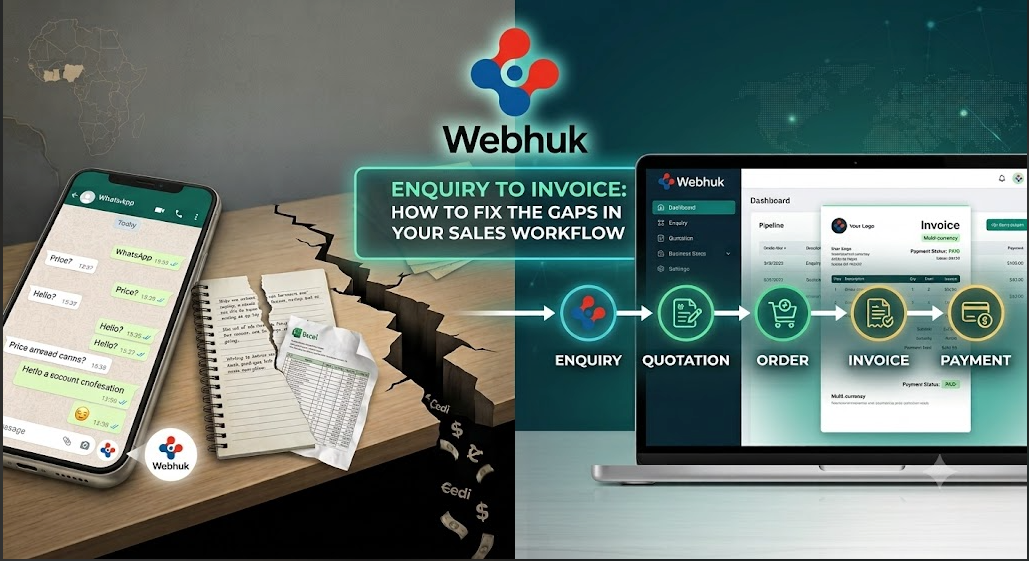
A customer messages you on WhatsApp asking for prices. You reply from memory, promise a proper quote "by tomorrow," and get pulled into the day's work. Three days later, you send the quotation. The customer has gone quiet — or worse, bought from a competitor who replied the same afternoon.
If this sounds familiar, the problem is not your product or your prices. It is your enquiry to invoice process — the chain of steps that turns a customer's first question into money in your account. For most small and medium businesses in Ghana and across West Africa, that chain is held together by WhatsApp threads, Excel sheets, notebooks, and memory. Every handover between those tools is a gap, and every gap leaks revenue.
This guide breaks down the five gaps where SMEs lose the most money between enquiry and payment, and shows how to close each one with a connected workflow.
What Is the Enquiry-to-Invoice Workflow?
The enquiry-to-invoice workflow is the full commercial journey of a sale:
- Enquiry — a customer asks about your goods or services
- Quotation — you send a priced offer with your terms
- Order — the customer confirms and you record the commitment
- Invoice — you bill the customer, on your letterhead, with the right taxes and bank details
- Payment — the money arrives and is recorded against the customer's account
Large companies run this on ERP systems. Most SMEs run it across four or five disconnected tools — and the money leaks out precisely at the joints between them.
The 5 Gaps That Drain Your Revenue
Gap 1: Enquiries scattered across WhatsApp, calls, and email
When enquiries arrive on your personal phone, a shop attendant's WhatsApp, and a shared email inbox, nobody has a single list of who asked for what. Enquiries that arrive on a busy market day simply vanish. You cannot follow up on what you never recorded.
The fix: Record every enquiry in one central place the moment it arrives — customer name, items requested, quantities, and date. It takes under a minute, and it means every enquiry has an owner and a status instead of living in someone's chat history.
Gap 2: Slow, inconsistent quotations
Typing a quotation from scratch in Word — or worse, quoting verbally — creates two problems. First, speed: in competitive trading sectors, the first professional quote often wins. Second, consistency: when each quote is typed manually, payment terms, delivery terms, and validity periods change from quote to quote, and prices sometimes contradict what a colleague quoted last week.
The fix: Generate quotations directly from the recorded enquiry, using saved item prices and standard terms (validity, delivery, payment, warranty). A quotation should take minutes, not days, and every quote your business sends should carry the same professional terms on the same letterhead.
Gap 3: No follow-up on aging quotations
Here is an uncomfortable question: how many quotations did your business send last month, and how many are still unanswered? Most SME owners cannot say. Quotes have validity periods, but nobody is watching the calendar — so warm leads go cold silently.
The fix: Track every quotation's status and age. When a quote passes half its validity period without a response, someone should call. Businesses that follow up on aging quotations systematically convert deals that would otherwise die quietly. This is where a system that flags aging quotations, orders and invoices earns its keep — it turns follow-up from a memory exercise into a daily checklist.
Gap 4: Orders and invoices that don't match the quote
The customer agreed to the quote — but the invoice was typed separately, weeks later, by a different person. Quantities differ. A discount that was promised is missing. The customer disputes the invoice, payment stalls, and your credibility takes a knock.
The fix: Never retype. The order should be generated from the accepted quotation, and the invoice from the order, so line items, prices, and terms flow through unchanged. Modern systems do this with one click, which also means your invoice goes out the same day the customer confirms — not next week.
Gap 5: Payments not matched to invoices
Money arrives by bank transfer or cash, but nobody records which invoice it settles. Months later you are unsure who owes what, chasing customers who already paid and ignoring customers who never did. In an economy where late payment is common, not knowing your true receivables position is dangerous for cash flow.
The fix: Record every payment against a specific invoice and customer account the day it arrives. Your receivables list should be one report away at all times — because in a small business, cash flow visibility is survival.
What a Connected Workflow Looks Like in Practice
Closing these gaps individually helps. Closing them in one system transforms how the business runs. Here is the same sale, run through a connected platform like Webhuk:
- The enquiry comes in. Whoever receives it records it in the system with the customer and the items requested. It now exists, with a status, visible to the team.
- A quotation is generated from the enquiry. Saved prices, your standard sales terms, and your letterhead are applied automatically. You review, approve, and email the PDF to the customer directly from the system.
- The quote is tracked. If it approaches its validity date without a response, it appears in your aging quotations list — a built-in reminder to pick up the phone.
- The customer confirms. The order is created from the quotation with one click. Nothing is retyped.
- The invoice is generated from the order — again in one click — with your bank details on it so the customer can pay without asking. If the customer needs a proforma invoice first (common for advance-payment arrangements in Ghana), that is generated the same way.
- Payment is recorded against the invoice and the customer's account. Your dashboard now shows the true picture: what was quoted, what was won, what is owed, and what has been paid.
- Stock updates itself. Because the invoice is in the same system as your inventory, the goods sold are automatically deducted — no separate stock book to reconcile.
One enquiry, one thread of documents, zero retyping, and nothing forgotten. For businesses that trade in both cedis and dollars, the same flow supports multiple currencies, so a USD quotation and a GHS invoice can live in the same system without spreadsheet gymnastics.
Why This Matters for Cash Flow in Ghana
For SMEs in Ghana and West Africa, the gap between doing the work and getting paid is often the difference between growing and closing. Every day shaved off the enquiry-to-invoice cycle is a day sooner the payment cycle starts. Consider the compounding effect:
- Quoting the same day instead of in three days wins more deals.
- Invoicing the day of confirmation instead of "when we get time" starts the payment clock earlier.
- Knowing exactly which invoices are aging means you chase the right customers before debts go stale.
None of this requires hiring more staff. It requires removing the gaps between steps — so information entered once flows through to the end.
Getting Started Without Disruption
You do not need a months-long ERP project to fix your sales workflow. A practical path:
- Week 1: Centralise enquiries and customer records. Import your existing customer list from Excel/CSV.
- Week 2: Move quotations into the system with your letterhead and standard terms.
- Week 3: Switch invoicing over, and start recording payments against invoices.
- Week 4: Turn on follow-up discipline: review aging quotations and receivables every Monday morning.
Webhuk was built for exactly this workflow — enquiries, quotations, orders and invoices in one system, with one-click generation between each stage, branded PDF documents, payment tracking, and multi-currency support. Setup takes minutes rather than months, plans start at 80 ghs per user per month, and you can start a 14-day free trial to run your next sale through it end to end.
Your next enquiry is coming. The only question is whether it lands in a system — or in another WhatsApp thread.
Start your 14 days trial now
Frequently Asked Questions
What is the enquiry-to-invoice process? It is the complete sales workflow from a customer's first enquiry, through quotation and order confirmation, to issuing the invoice and recording payment. Running it as one connected process — rather than across separate tools — reduces errors, speeds up quoting, and improves cash flow.
Why do small businesses lose sales between enquiry and quotation? Mostly speed and record-keeping. Enquiries received on WhatsApp or by phone often go unrecorded, and manually typed quotations take days to send. Customers frequently buy from whichever supplier responds first with a professional quote.
What is the difference between a quotation, a proforma invoice, and an invoice? A quotation is a priced offer with a validity period, sent before the customer commits. A proforma invoice is a preliminary bill often used to request advance payment before goods are delivered. A (tax) invoice is the final document issued for the actual sale, used for payment and accounting.
How can I track quotations that customers haven't responded to? Give every quotation a validity period and review a list of "aging" quotations regularly. Software like Webhuk flags quotations, orders, and invoices that are approaching or past their validity so your team knows exactly who to follow up with.
Do I need an ERP system for this, or is invoicing software enough? Standalone invoicing apps create the invoice but don't connect it to the enquiry, quotation, stock, or payment records. A lightweight business platform that links all five stages gives you the benefits of an ERP — one source of truth — without enterprise cost or complexity.
How much does a system like this cost for a small business in Ghana? Cloud-based platforms are priced per user per month. Webhuk, for example, starts at 80 ghs per user per month with a 14-day free trial, which makes the total cost for a small team comparable to a single lost sale.