GST • VAT • Sales Tax • Place of Supply • Tax Slabs • Compliant Invoicing

Tax compliance across locations-without manual corrections on every invoice.

Multi-location operations create tax complexity: different rates, different rules, and different invoice requirements. Webhuk Multi-Jurisdiction Taxes helps you configure jurisdiction-wise rules so the system applies the correct tax based on your location setup and transaction context. This reduces invoice errors, improves audit readiness, and protects margin visibility.

Fewer invoice errors Faster billing Better audit trail
Multi-location
Rules by state/country.
Compliance-ready
Reports & review controls.
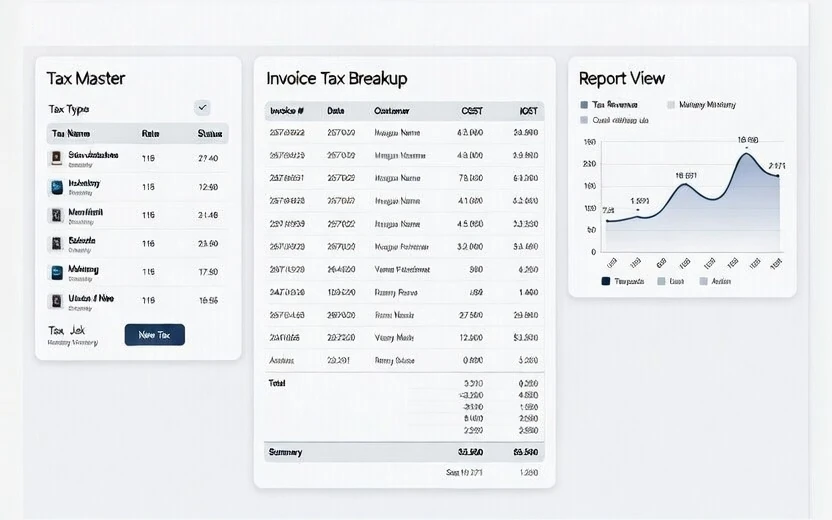
Webhuk multi-jurisdiction taxes configuration showing tax slabs, location rules and invoice tax breakup
Jurisdictions Slabs Invoices Reports
Why it matters

When tax rules change by location, manual billing becomes risky

A small tax mistake can lead to rework, customer disputes, credit note churn, or compliance pressure.

Incorrect tax breakup
Wrong slab or wrong rule creates invoice mismatch and rework.
Repeated corrections
Teams keep “fixing” taxes manually in documents, causing inconsistency.
Multiple branches
Different jurisdictions need a controlled, central rule set.
Weak audit trail
Without rule mapping, finance cannot validate how tax was applied.
Billing delays
Teams spend time confirming tax applicability instead of invoicing.
Compliance pressure
Accurate rules reduce risk and strengthen governance.
Workflow

Configure once, apply automatically on daily transactions

A practical approach for SMEs with multiple states/countries.

1
Define jurisdictions
Set your branches/locations and map them to the relevant state/country tax context.
2
Create tax slabs & rules
Maintain tax slabs and rule definitions based on your product/service structure.
3
Map tax applicability
Apply location-based logic so the correct tax triggers based on transaction type.
4
Generate compliant invoices
The invoice shows proper breakup and tax context for customer clarity.
5
Review reports
Use tax summaries and invoice-level visibility for finance review and reconciliation.
6
Control changes
Permissions ensure only authorized users can update slabs and critical rules.
Example rule setup (illustrative) Configurable to your process
Jurisdiction mapping
Branch A → State X rules, Branch B → State Y rules, Export billing → zero-rated logic (as configured).
Tax slabs by category
Maintain slabs by product/service category so invoices pick the correct rate without manual edits.
Invoice breakup visibility
Invoices show consistent tax breakup, improving customer clarity and reducing disputes.
Request Pricing
Key features

Multi-jurisdiction tax features built for controlled invoicing

Reduce risk. Increase accuracy. Improve speed.

Location-based tax rules
Apply correct tax based on branch, customer location and configured logic.
Tax slabs & categories
Maintain slabs by product/service category for consistent invoice application.
Compliant invoicing
Invoice breakup clarity reduces disputes and improves customer trust.
Tax reports
Summaries and invoice-level insights for reconciliation and compliance review.
Permissions & approvals
Control who can edit slabs and rules to avoid accidental changes.
Export for MIS / audit
Export tax reports and invoice summaries for finance and auditors.
Request Pricing
Inquiry-ready

Request pricing for Multi-Jurisdiction Taxes module

Share the regions you sell in and your invoice types. We will propose a controlled and compliant tax rule setup.

Faster billing
Auto tax application.
Fewer disputes
Clear tax breakup.
Better audit readiness
Reports and trail.
Strong governance
Permissions & control.

Get a demo / pricing quickly

We respond with next steps and a suitable demo slot.

Please enter your name.
Please enter a valid email.
Please enter your phone number.
Please select one option.
By submitting, you agree to be contacted by Webhuk.

FAQ

Common questions about multi-jurisdiction taxes

Short answers for evaluation.

Yes. Rules can be configured by jurisdiction so invoices apply tax logic based on location and transaction context.

Yes. Central rule configuration and controlled access reduces manual corrections and inconsistent tax application.

Yes. Summaries and invoice-level views help reconciliation and audit readiness.

Yes. The setup can be aligned to your invoice flow, product structure and jurisdiction coverage.
Request Pricing
Book Demo Pricing