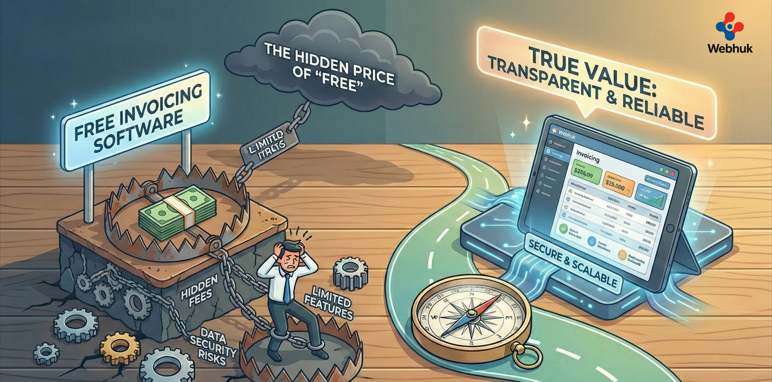
When you are just starting out, "free" is a magical word.
You grab a free logo maker, free email marketing tools, and naturally, free invoicing software. It feels like a smart financial decision. Why pay for something you can do for zero dollars?
And for the first 5 or 10 invoices, it works perfectly. You type in the client’s name, hit send, and wait for the money.
But as your business grows, "free" starts to show its cracks. Suddenly, you have 50 invoices floating around. You forget who has paid and who hasn't. You spend your weekends manually copying data from your timesheets into your invoice template.
This is the trap. The software didn't cost you money, but it is costing you time—and time is the one resource you cannot buy back.
In this guide, we will explore the landscape of free invoicing software, expose its limitations, and explain when it’s time to upgrade to a system that actually works for you.
The 3 Big Limitations of Free Tools
Most free software operates on a "Freemium" model. They give you the basics but lock away the features that actually save you time.
1. The "Manual Data" Trap
Free tools are usually standalone islands. They don't talk to your other systems. If you run a service agency, your team tracks their hours in one app. To bill the client, you have to open your free invoicing software and manually type those hours in. This disconnect is the #1 cause of lost revenue. If you forget to transfer just one hour of work, you are working for free. Integrated systems help you reduce unbilled hours by converting time logs into invoices automatically.
2. No Inventory Sync
If you sell products, free invoicing apps rarely subtract items from your stock count when you send a bill. You might send an invoice for 10 units, only to realize later you only have 8 in the warehouse. Now you have an angry customer. A professional system links billing to your warehouse, supporting inventory management best practices so you never oversell.
3. "Cash Flow" Blindness
Free tools tell you who owes you money, but they rarely give you the big picture. They don't analyze your profitability. You might see a lot of invoices going out and think you are rich. But without an integrated view of expenses vs. income, you might fail to understand the crucial battle of cash flow vs profit. A paid system shows you the P&L (Profit and Loss) in real-time, not just a list of unpaid bills.
When Should You Stick with Free?
I am not saying free is always bad. It is the right choice if:
- You send fewer than 5 invoices a month.
- You have no inventory to manage.
- You are a freelancer with very simple hourly rates.
- You have zero budget (literally $0) and plenty of free time.
If this is you, tools like Wave or PayPal Invoicing are great starting points.
When Should You Upgrade?
You should move away from free invoicing software the moment your administrative work starts eating into your billable work.
Look for these signs:
- The "Follow-Up" Fatigue: You are manually emailing clients to say "Just checking on payment." Good software automates these reminders.
- The Approval Bottleneck: You are buying supplies for jobs but forgetting to bill the client for them. Integrated tools allow you to automate your purchase orders and immediately mark those costs as "billable" to the client.
- Production Delays: For manufacturers, an invoice is often a signal to start making the product. If your invoicing tool doesn't trigger a work order, you are slowing down. Integrated ERPs assist in streamlining production by connecting sales directly to the shop floor.
Features That Pay for Themselves
When you start paying for invoicing software (usually a modest monthly fee), you unlock features that actively bring cash into your business faster.
- "Pay Now" Buttons: You can embed credit card or bank transfer links directly in the PDF. This reduces friction and gets you paid days (or weeks) faster.
- Recurring Invoices: For retainers or subscriptions, the system sends the bill automatically every month. You don't lift a finger.
- Client Portals: Give your customers a login where they can see all their past invoices and download them. This stops the endless "Can you re-send that invoice?" emails.
Conclusion: Value Your Time
There is an old saying in business: "You get what you pay for."
Free invoicing software is a fantastic tool for a hobbyist or a brand-new freelancer. But if you are building a scalable business, it is a bottleneck in disguise.
Don't let "saving $20 a month" cost you thousands in lost hours, missed billing, and operational chaos. Treat your billing system with the respect it deserves—it is the engine of your cash flow, after all.
Ready to professionalize your billing? Discover how Webhuk integrates invoicing with your entire operation, helping you reduce unbilled hours and get paid faster.
Frequently Asked Questions (FAQs)
1. Is "free" invoicing software safe to use?
Generally, yes. Reputable providers (like PayPal or Wave) are secure. However, be careful with unknown "free" apps, as they might be selling your data or your client's data to third parties. "If the product is free, you are the product."
2. Can I customize the design of free invoices?
Usually, customization is very limited in free versions. You might be able to add a logo, but you often cannot remove the software provider's branding ("Powered by XYZ") or change the layout significantly. Paid tools offer white-labeling.
3. Does free software handle multi-currency?
Rarely. Most free invoicing software limits you to one currency. If you have international clients, you will likely need to upgrade to a paid tier to handle exchange rates and foreign currencies correctly.
4. How does paid software help me get paid faster?
Paid software often includes "Payment Gateways" (like Stripe or PayPal integrations) directly on the invoice. It also automates "dunning emails"—polite reminders sent to clients 3 days before, on the day of, and 3 days after the due date.
5. Can I export my data if I switch from free to paid?
Yes, most platforms allow you to export your client list and invoice history as a CSV file. You can then import this into a professional system like Webhuk so you don't lose your financial history.