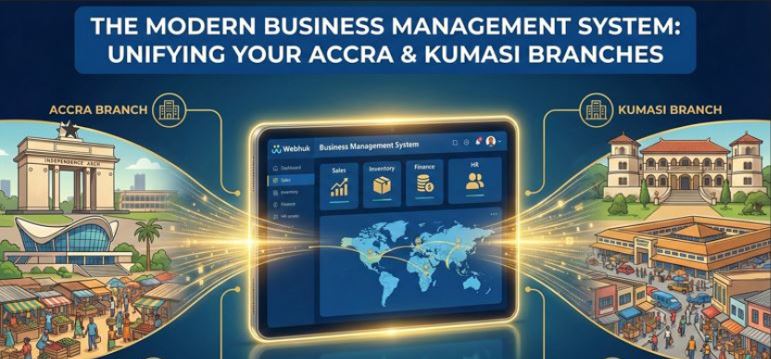
Opening a second branch is the dream of every Ghanaian entrepreneur.
It means you have "made it." You have captured the market in Accra, and now you are expanding to Kumasi, Takoradi, or Tamale.
But for many, this dream quickly turns into a logistical nightmare.
When you have one shop, you are the system. You sit at the till, you see the stock, you know the customers. When you have two shops, you are blind.
- "Why is the Kumasi branch claiming they have no stock of Item X, when I sent 50 units last week?"
- "Why do the daily sales reports on WhatsApp not match the cash in the bank?"
The solution isn't to clone yourself. The solution is to install a centralized Business management system.
In this guide, we will explore how a unified digital system allows you to be in two places at once, stopping "leakage" (theft) and ensuring your branches work together, not against each other.
The Danger of "Siloed" Branches
Without a central system, each of your branches acts like a separate company.
- Branch A uses a notebook.
- Branch B uses an Excel sheet.
- Head Office uses a whiteboard.
This disconnection causes Stock Hoarding. Branch A might be sitting on 100 units of "dead stock" that Branch B could sell tomorrow. But because they can't see each other's inventory, you lose the sale.
It also invites Theft. If you send goods from Accra to Kumasi without a digital "Inter-Branch Transfer" record, items can easily "fall off the truck" with no paper trail.
How a Business Management System Unifies Operations
A Business management system acts as the central brain for your entire operation. It doesn't matter if you have 2 branches or 20; the data lives in one place.
1. Real-Time "God Mode" Visibility
Imagine sitting in your office in East Legon and opening a dashboard on your laptop. You can see, in real-time:
- Exactly how much cash is in the till at Kumasi.
- Which cashier is currently logged in.
- That a sale happened 30 seconds ago in Takoradi.
This visibility kills complacency. When staff know you can check the numbers anytime, anywhere, "funny business" stops.
2. Digital Inter-Branch Transfers (IBT)
Moving stock between shops is high-risk. A good system digitizes this flow.
- Request: Kumasi requests 50 units.
- Dispatch: Accra approves and "Dispatches" 50 units. (Stock leaves Accra inventory).
- Transit: The stock sits in a virtual "In Transit" location.
- Receive: Kumasi receives the goods. If only 48 arrive, they enter "48 received."
- Variance: The system instantly flags the missing 2 units to management.
This creates instant accountability for the driver and the receiving staff. It aligns perfectly with inventory management best practices.
3. Centralized Pricing Control
Have you ever visited your own branch and found they were selling old stock at the wrong price? With a cloud-based system, you set the prices at Head Office. The moment you update a price, it pushes to every till in the country. Branch staff cannot change prices or give unauthorized discounts unless you give them specific permission.
Operational Efficiency Beyond Inventory
A robust system manages more than just boxes; it manages your money and your people.
Unified Financial Reporting
Stop waiting for end-of-month spreadsheets. The system aggregates sales from all branches into a single P&L. You can compare Branch Performance side-by-side:
- "Why is Branch A's electricity bill 20% higher than Branch B's?"
- "Why is Branch B more profitable despite lower sales?" This clarity helps you master cash flow vs profit, ensuring that one failing branch doesn't drain the profits of the successful ones.
Procurement Power
When you buy for 5 branches separately, you are weak. When you buy for 5 branches together, you are strong. A Business management system aggregates demand. It tells you, "Total demand for Rice across all branches is 500 bags." You can then approach the supplier with a bulk order to negotiate a better discount, then automate your purchase orders to distribute the stock accordingly.
User Permissions: Trust, But Verify
In Ghana, trust is expensive. You don't want your new cashier seeing your total profit margins. You don't want your store manager deleting invoices.
A professional system allows strict Role-Based Access Control:
- Cashier: Can only Sell and Print Receipts.
- Manager: Can Sell, Refund, and View Stock.
- Owner: Can see Profit, Cost Prices, and Supplier details.
This protects your sensitive data while giving staff the tools they need to work.
Conclusion: Expansion Without the Headache
Growing your business should be exciting, not terrifying.
If you are holding back from opening that new location because you are afraid of losing control, it is time to upgrade your tools. A Business management system gives you the digital infrastructure to scale. It allows you to run a multi-city empire with the control and precision of a single shop.
Ready to unite your branches? Webhuk provides the centralized control, inter-branch tracking, and real-time visibility you need to conquer the Ghanaian market.
Frequently Asked Questions (FAQs)
1. Does the system work if one branch loses internet?
Yes. Robust systems have an "Offline POS" mode. If the network in Kumasi goes down, your staff can continue selling. The sales data is stored locally on the device and syncs to the Head Office dashboard automatically once the internet returns.
2. Can I transfer stock between branches with different prices?
Yes. The system tracks the "Cost Price" of the item. If you move stock to a branch in a more expensive neighborhood, you can set a different "Selling Price" for that location while maintaining accurate cost tracking.
3. How do I stop staff from selling items off the books?
The system encourages customers to demand a receipt (often via a "Scan to Win" or loyalty points feature). If the inventory system is tightly controlled, any item sold "off the books" will eventually show up as a variance during a stock take, pointing directly to the staff responsible.
4. Can I see sales on my phone?
Yes. Cloud-based business management systems are mobile-responsive. You can check total daily sales, voided transactions, and cash-ups from your smartphone, no matter where you are in the world.
5. Is it expensive to add more branches?
Usually, no. Cloud systems scale easily. You typically pay a small additional fee for an extra "Outlet" or "User," which is far cheaper than buying a new standalone software license for the new shop.