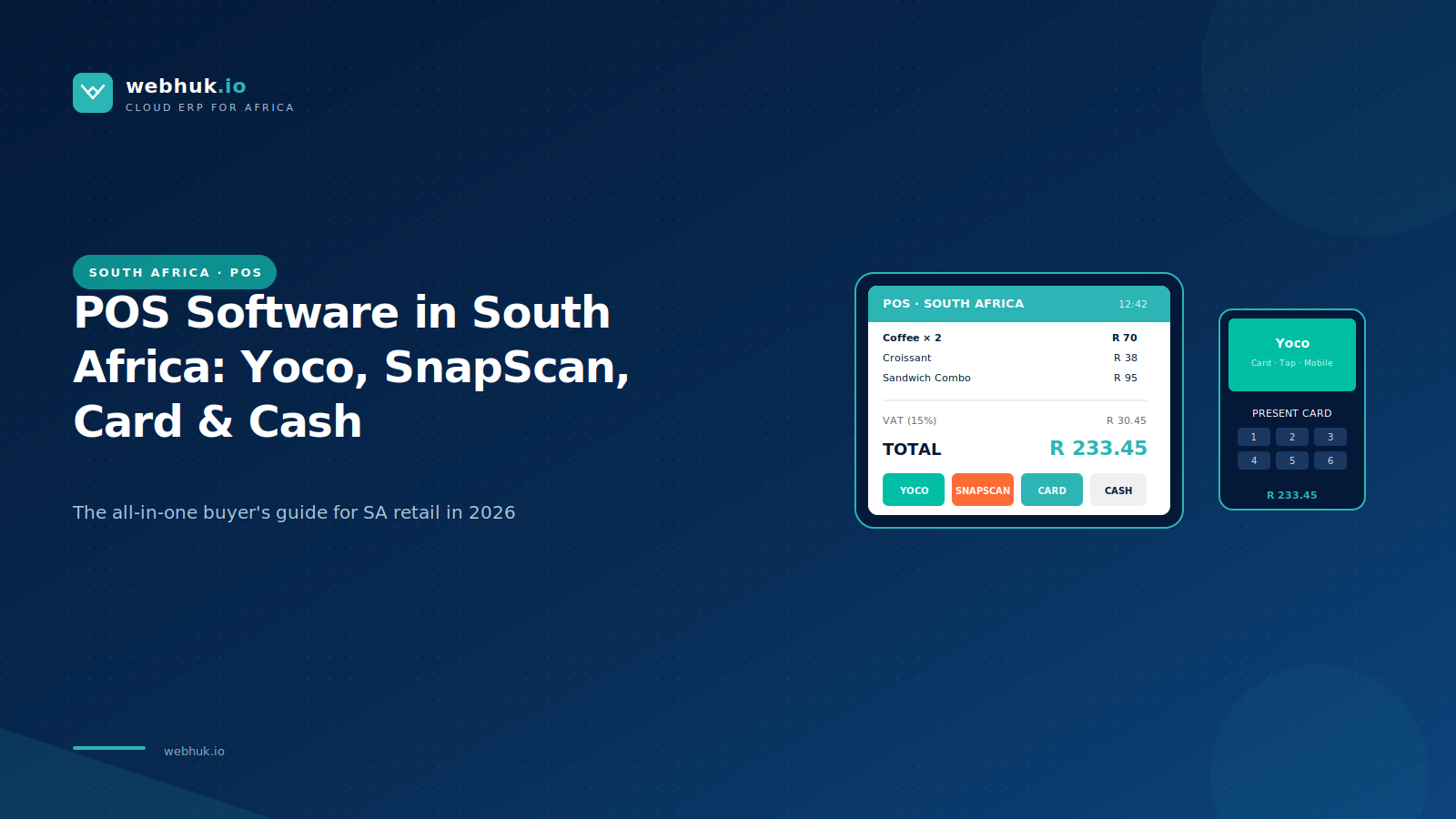
Stand at any till in Sandton City, Canal Walk or Gateway on a Saturday afternoon and watch the payment dance. A customer reaches for a card. Then for their phone. Then for cash. Maybe for SnapScan. Maybe for a quick Yoco tap. The cashier handles each one and the queue moves at the speed of the slowest payment method.
The POS that handles all of this gracefully - card, cash, SnapScan, Zapper, Ozow, Yoco, FNB Pay, Apple Pay, Samsung Pay without forcing the cashier to switch between three different devices and two different reconciliation reports at end of day, is the POS that wins in South Africa in 2026.
This guide cuts through vendor marketing and walks through what really matters in choosing POS software for an SA retailer, restaurant, services business or quick-service operation in 2026.
What POS software in SA must actually do
Accept every payment method customers actually use. Card is still dominant. Mobile payment apps are growing fast. Cash is still meaningful in many segments. The POS must process all of them, ideally in one screen, and reconcile them all at end of day without manual work.
Generate SARS-compliant receipts. With business details, VAT registration, transaction reference, and the right tax breakdown. Compliance starts at the receipt, not at the year-end return.
Work when the internet drops. South African connectivity is generally good but power cuts and load shedding still cause outages. Offline mode is non-negotiable. Sales must continue and sync when connectivity returns.
Track stock in real time as sales happen. Every sale reduces stock automatically. Multi-shop businesses need consolidated visibility across all locations.
Handle returns, exchanges, refunds and voids cleanly. With audit trails. With permission controls so junior staff cannot reverse transactions without approval.
Manage cash drawers properly. Opening float, sales, refunds, paid-outs, banking. End-of-shift balancing in seconds, not in minutes of manual counting.
Support staff time and performance tracking. Who is on shift, who rang up which sales, performance by employee. Particularly important for businesses with commission-based pay.
Integrate with the back office. Sales hit accounting automatically. Stock movements flow to inventory automatically. Customer data flows to CRM automatically. Without integration, POS is just an expensive cash register.
Modern interface staff can learn quickly. A new cashier should be productive on day one and confident by week two. POS that requires extensive training is poorly designed.
The payment landscape in South African retail in 2026
Card payments. Still the dominant non-cash method. Visa and MasterCard. Tap, chip-and-PIN, and increasingly contactless mobile equivalents. Most POS terminals integrate via Yoco, iKhokha, Pay@, Standard Bank, ABSA Mobile or similar payment processors.
SnapScan and Zapper. QR-code-based mobile payments, widely accepted across SA retail and hospitality. Customers scan a code on the till or receipt and approve in their banking or wallet app. Integration to POS varies; the better systems mark the sale as paid automatically when the payment lands.
Yoco. Both a card terminal provider and increasingly a fuller business platform. Strong adoption among SA SMEs. Yoco POS has been built out significantly and competes with traditional POS vendors.
Ozow. Instant EFT, popular for online and increasingly available at physical points of sale.
FNB Pay, Apple Pay, Samsung Pay, Google Pay. Contactless mobile payments via the customer's phone. Generally processed through the same card terminal infrastructure.
Cash. Still meaningful, particularly in townships, smaller towns, and certain customer demographics. Cannot be ignored.
Account sales for B2B retail. Wholesale customers buying on credit terms. Less of a payment method than a sales workflow, but the POS must handle it cleanly.
A POS that does not natively reconcile at least the first six of these is forcing your team into manual end-of-day work that the software should be doing.
The platforms competing seriously for SA POS in 2026
1. Yoco POS
Yoco has expanded from card terminals into full POS, with strong adoption among SA SMEs in retail, hospitality and services. Tight integration with their payment terminals and merchant accounts. Cloud-based, modern UX, fair pricing.
Best for: SA small to mid retailers and restaurants who already use or are open to using Yoco for payment processing.
2. iKhokha POS
iKhokha has similarly grown from terminal provider into broader merchant services. POS capability is improving and integrates tightly with their payment infrastructure.
Best for: SMEs already using iKhokha terminals who want a unified vendor for payments and POS.
3. Webhuk.io POS
Cloud POS within a full ERP. Multi-currency, multi-country, SARS-compliant receipt generation, integration with major SA payment processors. Particularly strong for retailers with operations across multiple African countries. Speak to the Webhuk team about a POS demo at your shop or restaurant and have them ring up live transactions including a SnapScan and a card payment with full back-office reconciliation.
Best for: SA retailers wanting POS connected to full back-office accounting, inventory and HR — and especially businesses operating across SA and other African markets.
4. Vend / Lightspeed Retail
Cloud retail POS with strong international footprint and growing SA presence. Excellent UX, deep retail features, good for fashion, lifestyle and specialty retail.
Best for: Specialty retailers in fashion, lifestyle and similar verticals who value UX and international ecosystem.
5. Square (where available in SA)
Square's SA availability has expanded. Strong UX, simple pricing, good for very small retailers and quick-service food.
Best for: Very small businesses and pop-ups where simplicity matters more than depth.
6. Loyverse
Free or low-cost POS with surprising capability. Popular with small SA retailers and food businesses. Good free tier; paid features for multi-store.
Best for: Single-shop micro-businesses and pop-ups testing the waters before investing in heavier POS.
7. Sage POS / Sage 200 with retail extensions
For SA businesses already on Sage accounting infrastructure, the Sage POS extensions integrate cleanly. UX is older-feeling than modern cloud-native alternatives.
Best for: Established SMEs already running on Sage who value integration with their existing back office.
8. Toast / Lavu / restaurant-specific POS
Restaurant-specific POS platforms with table management, kitchen display screens, split bills, ingredient inventory.
Best for: Full-service restaurants and quick-service food with restaurant-specific operational needs.
9. SAP Business One Retail / Microsoft Dynamics 365 Commerce
Enterprise retail platforms within broader ERP. Suited to larger SA retail operations.
Best for: Mid to large retail chains in SA with multi-store operations and budget for enterprise platforms.
Industry-specific POS considerations
Restaurants and quick-service food. Need split bills, table management, kitchen display screens, ingredient-level inventory and modifier menus. Generic retail POS underperforms here.
Pharmacies. Need batch and expiry tracking, prescription records, scheduled medicine handling, and SARS-compliant receipts with detailed product breakdowns.
Multi-store retail across major SA cities. Need real-time consolidated reporting, stock transfer between locations, centralised pricing control, per-store reporting.
Wholesale and cash-and-carry. Need bulk pricing, customer credit limits, fast checkout for high-volume queues, salesperson tracking.
Fashion and lifestyle retail. Need variant management for size and colour, seasonal markdown handling, customer purchase history for personalised service.
Service businesses (salons, clinics, fitness). Need appointment booking, package tracking, recurring memberships, gift card management.
For sector-specific deep dives, the Webhuk blog covers POS choice for restaurants, pharmacies, fashion retail and multi-store operations in dedicated articles worth reading before purchase.
Hardware and total cost
A modern SA POS station typically includes:
• Touchscreen tablet or POS terminal
• Bluetooth or USB receipt printer
• Cash drawer
• Barcode scanner
• Card payment terminal (often a separate device from a payment processor)
Total hardware cost for one station, sourced sensibly: ZAR 8,000-25,000 depending on quality, brand and durability. Restaurants need additional kitchen printers or KDS screens.
Software subscription per till: ZAR 250-1,500 per month depending on platform and tier. Multi-store operations pay per location.
Payment processing: typically 1.5%-3.5% per transaction depending on payment method and processor.
For a typical small retailer in SA, total monthly POS cost (software plus payment processing on average sales) lands between ZAR 1,500 and ZAR 6,000 per till. Multi-store and restaurant operations are higher.
How to choose
One: Test in your real environment. A POS that demos beautifully in a quiet showroom may struggle at peak hour in your actual shop. Run a pilot in one location with real cashiers, real customers, real volume.
Two: Test the integrations. Card terminal integration. SnapScan or Zapper integration. Accounting integration. Inventory integration. Each must be tested specifically, not assumed.
Three: Test the offline mode. Pull the internet plug during the trial. The POS should keep selling. When the connection returns, it should sync without errors. Any system that fails this test is not ready for SA conditions.
Four: Test the staff onboarding. Have a new cashier learn the system from scratch with whatever training resources the vendor provides. If they cannot ring up sales confidently within an hour, the UX is too complex.
Five: Test the end-of-shift reconciliation. Run a busy day. Close the till. Watch how long the reconciliation takes and how many discrepancies surface. The right POS makes this nearly instant.
The honest recommendation
For most SA SMEs in 2026:
Single-shop or very small multi-shop retailer or restaurant: Yoco POS, iKhokha POS, or Loyverse for the smallest operations.
Multi-store retailer wanting POS plus full back office: Webhuk.io for businesses with cross-border needs or modern cloud preference; Sage for businesses already on Sage infrastructure; Microsoft Dynamics 365 Commerce for larger operations on Microsoft.
Specialty retail (fashion, lifestyle, gifts): Vend / Lightspeed Retail.
Restaurants: Toast, Lavu, or a Webhuk hospitality module depending on scale.
Pharmacy or healthcare retail: Webhuk with pharmacy module, or specialised pharmacy POS systems.
The wrong POS shows up at peak hour when the queue is long, the cashier is flustered, the customer is impatient, and the system is asking for a swipe to a manager that nobody can find. The right POS is the one nobody notices because it just works. Choose with that test in mind.
Frequently Asked Questions
Q1. What is the best POS software for retailers in South Africa in 2026?
The best POS depends on business type. Yoco POS and iKhokha POS suit single-shop and small multi-shop retailers and restaurants with strong payment processing integration. Webhuk.io fits multi-store retailers wanting POS connected to full ERP. Vend and Lightspeed Retail suit specialty fashion and lifestyle. Toast or Lavu suit full-service restaurants. Sage and Microsoft Dynamics 365 Commerce fit larger operations on existing infrastructure.
Q2. Does POS software in South Africa accept SnapScan and Zapper?
Most modern POS systems in SA either integrate natively with SnapScan and Zapper or generate the QR codes that allow these payments to be processed. The better integrations automatically mark the sale as paid when the SnapScan or Zapper payment lands, eliminating manual reconciliation. Test the specific integration during a trial because quality varies between vendors.
Q3. Can POS software work without internet in South Africa?
Yes, the better POS platforms include offline mode that allows continued sales during connectivity outages, with automatic sync to the cloud when the connection returns. This is important in South Africa given periodic load shedding and connectivity disruption. Cloud-only POS systems without offline support are risky for any retail business that cannot afford to stop selling during an outage.
Q4. How much does POS software cost in South Africa per month?
POS software subscriptions in SA typically run ZAR 250-1,500 per till per month depending on platform and tier. Yoco and iKhokha are at the lower end with payment processing bundled. Mid-tier multi-store platforms like Webhuk run ZAR 500-1,200 per month per location. Enterprise platforms cost more. Hardware for one station costs ZAR 8,000-25,000. Payment processing is typically 1.5-3.5% per transaction.
Q5. Does POS software integrate with accounting and inventory in South Africa?
Yes, modern POS platforms either include accounting and inventory natively (full ERP platforms like Webhuk, Sage 200, SAP Business One, Microsoft Dynamics 365) or integrate with separate accounting software (Yoco and iKhokha integrate with Xero and Sage Accounting; Vend and Lightspeed integrate similarly). Strong integration eliminates the daily manual work of reconciling sales to accounting and stock movements to inventory.