All the required documents in Webhuk are in PDF.
1. Mouse Over on Documents Menu
2. Either select the Recent Documents and one of the documents from the list of documents
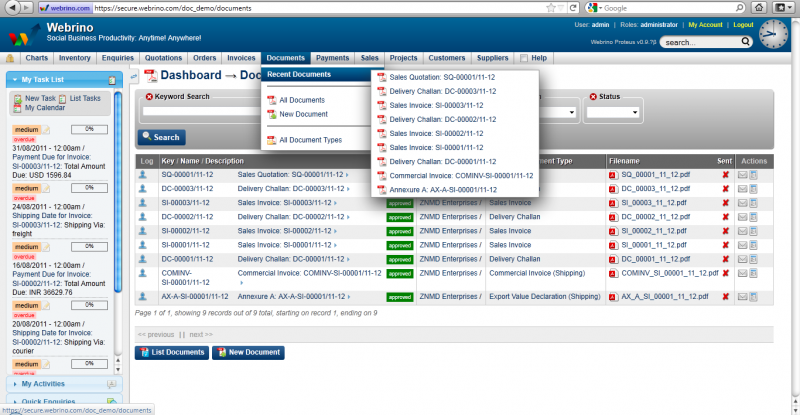
3. Click on All documents to list all the available pdfs
4. Click on View icon from the Actions column of the listed rows to see the short decsription about the document
5. Click om Email icon to send the document as an email
6. Click on the filename to download/save the file locally
7. You could create a New Document as well
8. Before creating a New Document, check all the available Document Type
9. Mouse-Over on Documents Menu from the drop down, select All Document Types
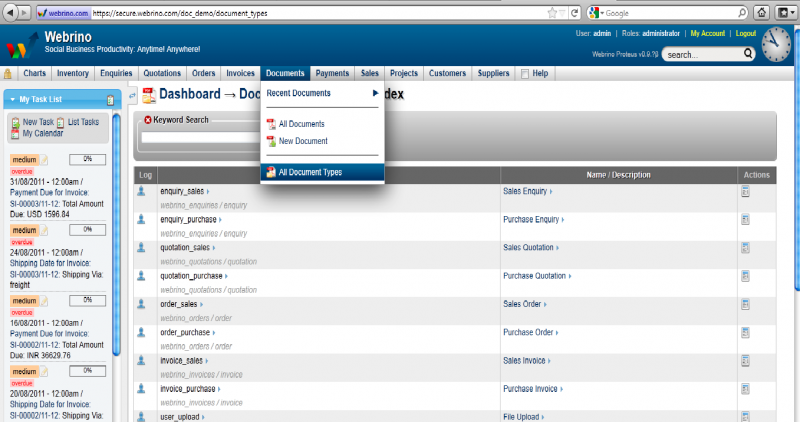
10. Like the screen shot above, the window lists all the DocumentTypes available.
11. To create New Document
12. Mouse Over on Documents and click New Document
13. This opens up an editable window like the one below
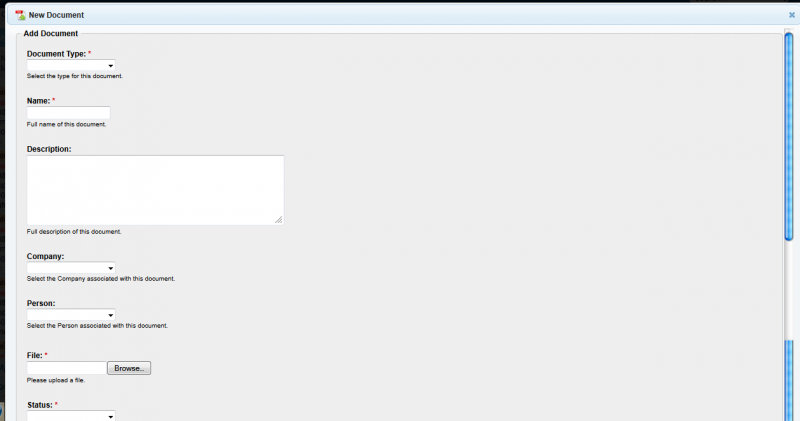
14. Fill in the required details
15. Have the file ready locally, click on Browse and Upload it on the server
16. Give the required Status
17. Click Submit