To Customize Business and Letterhead Logo
Customizing Business and Letterhead Logos will take place in 3 steps
Step 1: Upload Images
- On dashboard, click or mouseover "Golden Lock"
- Navigate to Webhuk Wizards and click
- Wizards Index will open
- Select Run Logo Wizard.
- Logo Wizard will run
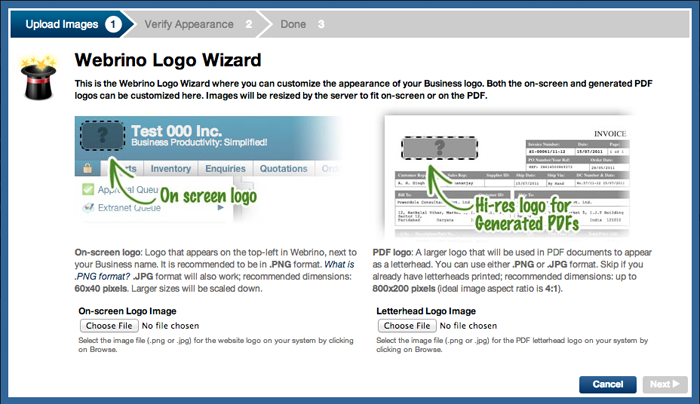
- Here you can add logos for On-Screen Logo and the Letterhead Logo seperately
- Ideal sizes for the logo have been given, it is prefeable to resize logos to the ideal specified size
- Select the Choose File button for uploading the logo
- Choose the logo file that you want to upload and select
- Select Next on the Logo Wizard
Step 2: Verify Appearance
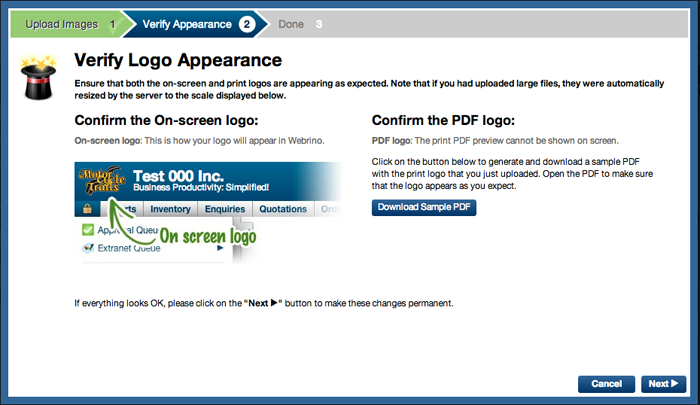
- On this page, please check the appearance of the On-Screen Logo and download a sample pdf to view the Letterhead Logo
- If all if fine, select Next
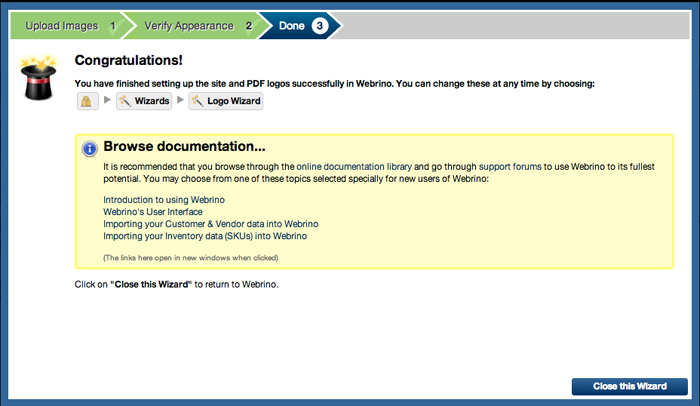
Step 3: Done
Select Close this Wizard